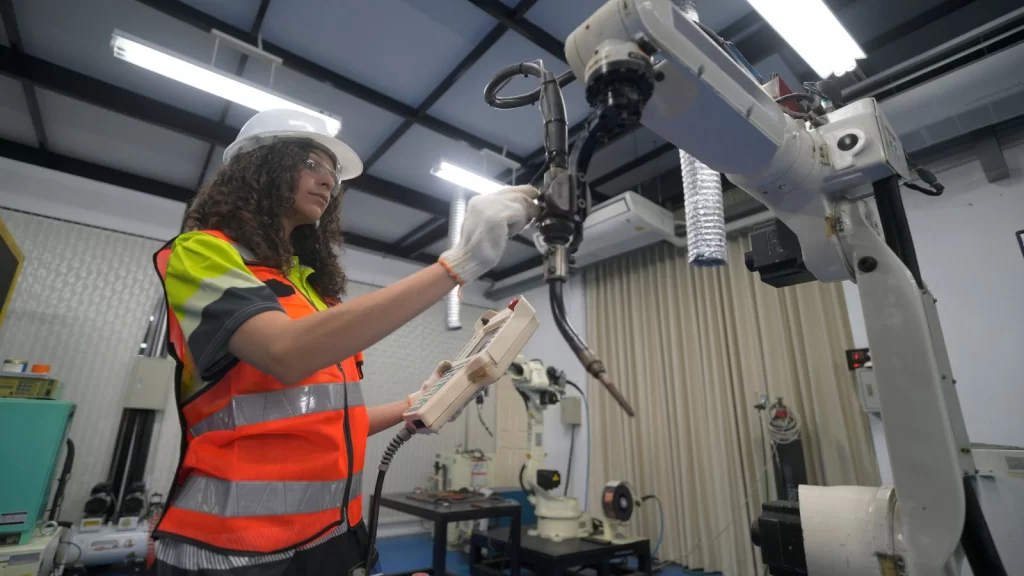
Explore how Dynamics 365 BC connects to shop floor systems, sensors, or MES platforms to optimize production.
When I walk into a manufacturing plant these days, I see fewer clipboards and more screens. Advanced shop-floor integrations mean that machines are talking, operators are tapping tablets instead of filling out paper forms, and managers can see what’s happening on the shop floor right now, not tomorrow morning.
That’s precisely where advanced shop-floor integrations – IoT, MES, and Microsoft Dynamics 365 Business Central (BC) – come together.
And it’s one of the areas my team at Liberty Grove Software and I are most excited about, because when you connect these worlds properly, you don’t just “go digital”; you fundamentally change how production is planned, executed, and improved.
In this article, I’ll walk through how Dynamics 365 BC connects to shop-floor systems, sensors, and MES platforms, what that actually looks like in practice, and some lessons we’ve learned helping manufacturers implement these integrations.
Why connect your shop floor to Dynamics 365 BC?
Let’s start with the “why,” because integration projects aren’t small undertakings.
When you connect BC to machines, sensors, and MES, you’re aiming for a few big wins that demonstrate clear benefits:
Real-time visibility
No more waiting for manual reporting. Production orders, consumption, scrap, and output flow in near real time from the shop floor to BC.
Better planning and scheduling
Planners work with actual machine performance, not assumptions. If a key line is running slower, BC can reflect that in capacity and delivery dates.
Accurate costing and margin control
Actual labor, material usage, and machine time are captured as they occur, feeding BC’s costing engine with reality rather than rough estimates.
Higher OEE (Overall Equipment Effectiveness)
By tying machine data (downtime, speed loss, quality) into your ERP, you can identify and prioritize the bottlenecks that impact financial results.
Less admin, more value-added work
Operators stop being data entry clerks and focus on running the process. Data flows automatically in the background.
How does Dynamics 365 BC connect to all these systems?
Involving both IT and OT teams early can make this process smoother and more successful.

The three layers: ERP, MES, and IoT
Think of your landscape in three layers:
- ERP – Dynamics 365 Business Central
That’s your system of record: items, BOMs, routings, production orders, inventory, costing, purchasing, and finance.
- MES – Manufacturing Execution System
MES sits closer to the shop floor. It handles things like:
- Dispatching and tracking production orders by operation
- Operator logins & labor tracking
- Detailed machine status and downtime reasons
- Quality checks and SPC (Statistical Process Control)
- Work instructions and electronic batch records
In some plants, this is a commercial MES product; in others, it’s a combination of homegrown systems, HMI screens, and data collection terminals.
- IoT – Machines, sensors, PLCs, and data platforms
That’s where signals originate:
- PLCs and controllers on the machines
- Smart sensors (temperature, vibration, pressure, etc.)
- Data historians and IoT platforms (like Azure IoT, Kepware, OPC UA servers, etc.)
BC doesn’t talk directly to every sensor and PLC out of the box. Instead, BC typically integrates with:
- MES systems, which already aggregate shop-floor events and translate them into business-friendly data (good pieces, scrap, downtime, etc.), and/or
- IoT/Integration platforms that sit between raw machine data and ERP (for example, Azure services, middleware, or specialized connectors).
Let’s look at the practical patterns.
Common integration patterns with Dynamics 365 BC
1. MES as the “shop-floor brain”
In this pattern, BC is the planning and costing engine, and MES acts as the execution brain on the floor, coordinating operations effectively.
Typical flow:
- From BC to MES
- Released production orders
- BOMs and routings
- Work centers/machine centers
- Item masters and units of measure
- From MES to BC
- Operation completions (quantity good, quantity scrapped)
- Actual start/finish times
- Labor hours and machine time
- Material consumption (by lot/serial if needed)
BC then:
- Updates inventory, WIP, and finished goods
- Post consumption and output
- Calculates actual production costs
- Feeds that into financials, sales, and planning
In practice, this is usually done via web services/APIs (OData/REST) or an integration platform that maps fields and handles retries, error logging, and transformations.
Where this shines:
If you’re already using or planning to implement a robust MES, this pattern gives you clean separation: BC doesn’t have to worry about raw machine signals; it just consumes meaningful, validated production events.

Direct IoT-to-BC integration
In some environments, especially lighter manufacturing or when you’re just getting started, you may not have a full MES. Instead, you might connect IoT platforms directly to BC.
For example:
- A line counter on a packaging machine sends production totals to an IoT hub every minute.
- A middleware layer aggregates counts and batches them into “production output” records.
- That middleware calls BC’s APIs to update the related production order with the produced quantities and post-consumption using backflush or rules.
You might also use IoT data to:
- Trigger quality holds in BC if a sensor reading exceeds the out-of-range threshold.
- Write non-conformance or inspection records when specific alarms occur.
- Adjust maintenance work orders in a connected maintenance system based on runtime and cycles.
Key ingredients:
- An IoT platform or gateway that can speak the “machine language” (OPC UA, Modbus, etc.)
- Integration middleware that can call BC’s web services securely
- Clear business rules: how many pulses equals one good piece, what to do with partial data, etc.
Where this shines:
When you want fast wins and targeted automation on specific lines or machines without a full MES implementation.
Hybrid: BC + MES + IoT analytics
Many mature manufacturers end up with a hybrid architecture:
- MES handles execution and operator interaction.
- IoT/analytics platforms (often in the cloud) collect high-frequency sensor data for analytics, AI, and advanced monitoring.
- BC serves as the backbone for orders, inventory, costing, and finance.
In this world:
- MES and BC share master data and transactional updates (orders, completions, consumption).
- IoT platforms feed insights (predicted failures, quality risks, performance trends) either into MES, BC, or both.
- BC may consume summarized KPIs—like OEE by work center per day—for reporting and profitability analysis.
This pattern is powerful when you’re ready to embrace continuous improvement powered by data rather than just basic automation, enabling smarter decision-making.
What does a “good” integration look like?
There’s no one-size-fits-all, but successful shop-floor integrations with BC tend to share a few characteristics:
1. Clear ownership of master data
Decide where each master lives and who owns it:
- Items, BOMs, routings: almost always BC
- Work centers/machine definitions: usually BC, sometimes MES if much more detailed
- Quality specs: sometimes MES, sometimes QC modules integrated with BC
Then set up integration so that:
- Changes are propagated automatically where needed
- There’s one “system of truth” for each data type
2. Simple, robust message flows
Fancy architectures are fun on paper, but on the shop floor, reliability beats elegance.
Good practices:
- Use simple, well-defined messages: e.g., “Operation Completed” with clear fields.
- Include reference keys (order number, operation number, item, date-time, user).
- Handle exceptions gracefully:
- What happens if BC is temporarily unavailable?
- How do you detect and fix duplicate or missing messages?
3. Real-time where it matters, batch where it doesn’t
Not every integration needs to be millisecond real-time.
- For machine status dashboards, you want near-real-time updates.
- For costing and inventory, posting every few minutes or hourly is often sufficient.
We often design hybrid timing:
- Real-time or near-real-time for execution-critical events.
- Scheduled/batch for summarized metrics and secondary data.
Practical use cases you can target
If you’re wondering where to start, here are some concrete use cases that deliver value quickly:
- Automated production reporting
- Machines or MES send good/scrap counts directly to BC.
- Production orders are updated without manual entry.
- Supervisors move from chasing paperwork to reviewing exceptions.
- Real-time WIP visibility
- Operators scan or select the order they’re working on at terminals.
- BC (or MES) shows where every order is in the routing.
- Customer service can confidently answer “where’s my order?”
- Material consumption and traceability
- Barcode/RFID or MES integration records which lots/serials were used on which orders.
- BC stores this for full forward/backward traceability.
- Recalls and quality investigations become much easier.
- Downtime and OEE linked to financials
- Machine downtime events are captured and categorized.
- OEE metrics are tied to specific work centers and products.
- You can see which constraints are costing you money and prioritize improvements.

Key lessons from real-world projects
After many integrations, a few themes keep showing up:
Start Small, but Design for Growth
Pick one line, one product family, or one plant as your pilot. Prove the value, refine the data model, and then scale out. But at the design level, think ahead:
- Will you add more lines, shifts, or plants?
- Will you bring in a MES later if you don’t have one today?
Involve Both IT and OT Early
IT cares about BC, security, APIs, and data integrity. OT (operations/engineering) cares about PLCs, machines, shifts, and uptime.
You need both at the table. Some of the best integration ideas come from operators and maintenance technicians who live with the machines every day.
Don’t Underestimate Change Management
Technically, it might be “just an interface.” Organizationally, it’s a change in how people work:
- Operators might stop filling out paper and work with terminals instead.
- Supervisors might shift from “data collectors” to “data analysts.”
- Planners and finance get more accurate information – and will start expecting it.
Training, communication, and clear “what’s in it for me” messages are crucial.
Where Dynamics 365 BC fits in your Industry 4.0 roadmap
I like to remind manufacturers: BC is not trying to be your PLC or your MES. It’s your business backbone.
When you integrate BC with IoT and MES:
- BC gives structure, master data, and a single source of financial and operational truth.
- MES orchestrates execution and captures detailed shop-floor events.
- IoT collects and analyzes the raw heartbeat of your machines.
Together, they let you move from reactive firefighting to proactive, data-driven manufacturing.
Conclusion
If you’re looking at your plant and thinking, “We have all these machines, all this data, but it’s not connected to the business,” you’re not alone.
The good news is that Dynamics 365 Business Central is a strong foundation, and with the right approach to IoT and MES integration, you can unlock significant hidden potential.
And if you’re not sure where to start – or whether you need MES, direct IoT, or a hybrid approach – that’s precisely the sort of conversation my team and I at Liberty Grove Software have every week. The path doesn’t have to be complicated, but it does need to be yours.
Let’s talk. Schedule a conversation with Liberty Grove Software today, and let’s build a smarter, safer, and smoother ERP transition – together.
About Andrew Good

Andrew Good, CEO, Liberty Grove Software
Andrew Good, CEO of Liberty Grove Software, a leader in digital transformation, directs the company with strategic insights that deliver impactful results. With over two decades of expertise in Microsoft technologies, Andrew has guided businesses through digital transformations across various industries, including manufacturing, finance, and healthcare.
Andrew’s extensive knowledge comes from personal experiences with various companies. His hands-on operational knowledge stems from his experience in engineering and maintenance, as well as his operational roles at Unilever and Sony Music. Fourteen years of working with Microsoft Dynamics BC/NAV follows successful projects in ERP, Computerized Maintenance Management Systems (EAM), and quality systems.
His passion for technology is matched by his love for sailing, which inspires his leadership. Andrew parallels the precision required for navigating the seas with the challenges of steering a successful company. Under his leadership, Liberty Grove Software thrives, providing tailored solutions that empower clients and optimize operations with innovative, Microsoft-based systems.